s9s Documentation
Welcome to s9s documentation! s9s is a powerful terminal UI for SLURM that brings the k9s experience to HPC cluster management.
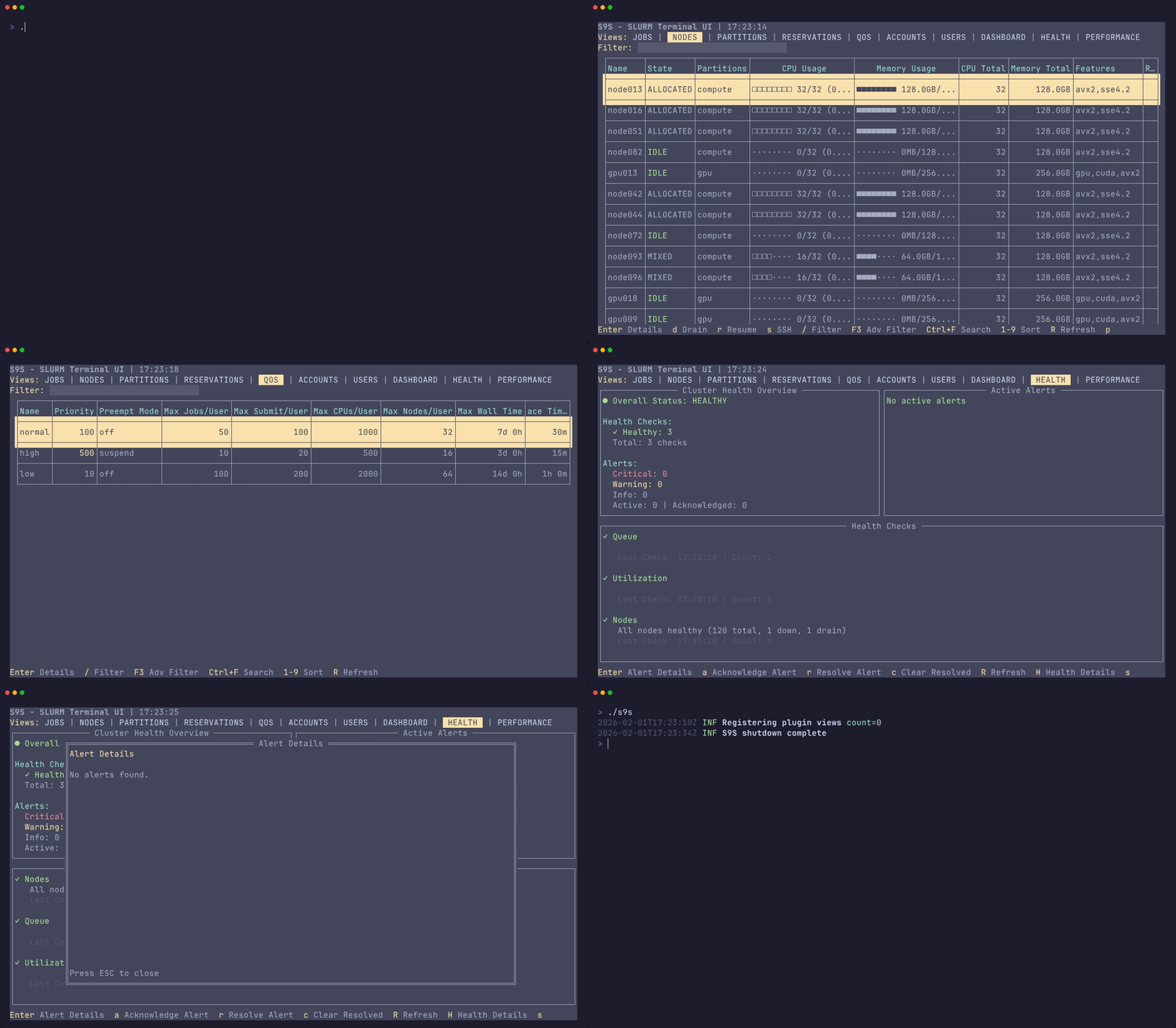
s9s in action - real-time cluster monitoring and management
What is s9s?
s9s is a modern, terminal-based interface for SLURM workload managers. It provides:
- Real-time monitoring - Live updates of jobs, nodes, and cluster status
- Intuitive navigation - Keyboard-driven interface inspired by k9s
- Powerful filtering - Advanced search and filter capabilities
- Batch operations - Manage multiple resources efficiently
- SSH integration - Direct node access from the UI
- Plugin system - Extend functionality with custom plugins
Getting Started
Quick Start
# Install s9s curl -sSL https://get.s9s.dev | bash # Launch s9s s9s # Or try mock mode (no SLURM required, requires S9S_ENABLE_MOCK env var) S9S_ENABLE_MOCK=1 s9s --mock
Documentation Sections
📚 Getting Started
- Installation - Install s9s on your system
- Quick Start - Get running in minutes
- Configuration - Configure for your environment
👤 User Guide
- Navigation - Master keyboard shortcuts
- Views Overview - Understand all views
- Dashboard - Cluster overview
- Jobs - Job management
- Nodes - Node operations
- Partitions - Partition monitoring
- Users - User accounts
- Accounts - Account hierarchy
- QoS - Quality of Service policies
- Reservations - Resource reservations
- Health - Cluster health monitoring
- Keyboard Shortcuts - Complete shortcuts reference
- Job Management - Submit and manage jobs
- Node Operations - Node administration
- Batch Operations - Multi-resource operations
- Filtering & Search - Advanced filtering
- Export & Reporting - Export data
📖 Guides
- SSH Integration - Direct node access
- Job Streaming - Real-time log streaming
- Mock Mode - Test without SLURM
- Troubleshooting - Common issues
📘 Reference
- Commands - Command reference
- Configuration - Config file reference
- API - REST API documentation
🔌 Plugins
- Plugin Overview - Plugin system introduction
- Plugin Development - Create custom plugins
- Observability Plugin - Monitoring and metrics
🛠️ Development
- Development Setup - Set up dev environment
- Architecture - System architecture
- Contributing - Contribution guidelines
- Testing - Testing guide
- Linting - Code quality
- CI/CD - Continuous integration
🏢 Enterprise
- Enterprise Features - Features for large deployments
ℹ️ About
Quick Links
Need Help Fast?
- Quick Start Guide - Get running quickly
- Troubleshooting - Common issues and solutions
- Keyboard Shortcuts - All shortcuts
Popular Topics
- Installation - Installation methods
- Configuration - Configure s9s
- Job Management - Submit and monitor jobs
- SSH Integration - SSH to nodes
- Mock Mode - Try without SLURM
For Developers
- Plugin Development - Build plugins
- Architecture - Understanding s9s
- Contributing - Contribute to s9s
- API Documentation - REST API
Features Highlights
Real-Time Monitoring
Monitor your SLURM cluster in real-time with auto-refreshing views and live metrics.
Keyboard-Driven Interface
Navigate efficiently with vim-style keyboard shortcuts. No mouse required.
Advanced Filtering
Powerful filtering system with expression-based search across all resource types.
Batch Operations
Manage multiple jobs, nodes, or resources simultaneously with batch operations.
SSH Integration
SSH directly to nodes from the UI with session management and multiplexing.
Plugin System
Extend s9s with custom plugins for monitoring, automation, and integration.
Support
- GitHub Issues: Report bugs or request features
- Discussions: Community discussions
- Contributing: Contribution guide
License
s9s is open source software licensed under the MIT License.